
On this page is a sampling of database queries I have used when managing T-SQL databases on Microsoft SQL Server, using SQL Server Management Studio (SSMS).
Showing User with a counter, WHILE, JOIN, IF and CASE in SELECT
This is a good example of using a counter, along with While, Join, If, and Case in Select statements while retrieving user info from more than one database.
View the SQL
-- GOAL: Get User IDs / Preview data

-- Input the username to check...
-- THEN HIGHLIGHT FROM HERE...
DECLARE @username VARCHAR(50);
SET @username = '___'; -- <<=== username for one user, or ALL for all users.
-- no updates below this point
-- ----------------------------
DECLARE @count INT;
DECLARE @dbName AS VARCHAR(15);
SET @count = 0;
WHILE @count < 2
BEGIN
	IF @count = 0
	BEGIN
		USE FirstDatabase;
		SET @dbname = 'FirstDatabase';
	END
	ELSE
	BEGIN
		USE SecondDatabase;
		SET @dbname = 'SecondDatabase';
	END;
	SET @count = @count + 1;
	SELECT @dbName AS 'Database', u.username, c.userid AS CompanyUserId, c.companyid, u.createdt AS UserTblCreateDate, u.updatedt AS UserTblUpdateDate, u.deleteflag As UserTblDeleteFlg, c.deleteflag AS CompanyTblDeleteFlg
	FROM dbo.Users AS u
	INNER JOIN usercompany AS c ON u.userid = c.userid
	WHERE username LIKE
		CASE WHEN LOWER(@username) = 'all' THEN
				'%'
			ELSE
				LTRIM(RTRIM(@username))
		END
	ORDER BY username ASC;
END;
Dynamic Sorting using CASE
A query of student testing data, in which I removed legacy Dynamic SQL. This was prompted by the data: some of the email addresses included apostrophes, which—although legal—would crash the query.
I replaced the Dynamic SQL with CASE to indicate the field to use for sorting the results, be it the chapter number, last name, first name, or the test date. That starts at line 14.
View the SQL
SELECT TOP(@TopVal) *
	FROM
		(
		SELECT
			Summary_Id,
			Chapter_no,
			last_name,
			First_name,
			convert(nvarchar(12),test_date, 101) as TestDate,
			round(cast (correct_questions as float)/ (case Total_Questions when 0 then 1 else total_questions end)*100,0) as score,
			Section,
			Total_Questions,
			Correct_Questions,
			Row_Number() over(Order by
			-- Below we use case instead of using dynamic sql
			-- CHAPTER
			CASE WHEN @SortField = 'Chapter_No'
				THEN Chapter_no
				END ASC,
			-- LASTNAME
			CASE WHEN @SortField = 'Last_Name'
				THEN last_name
				END ASC,
			-- FIRSTNAME
			CASE WHEN @SortField = 'First_Name'
				THEN First_name
				END ASC,
			-- DATE
			CASE WHEN @SortField = 'Test_Date'
				THEN test_date
				END ASC
				) as RowNum from Summary
		WHERE
			    Pro_email = @pro_email
			AND Book_no = @Book_No
			AND test_date BETWEEN @DateFrom  AND @DateTo
			AND Chapter_no IN(SELECT * FROM [dbo].[Split](',', @Chapters))
			AND (@LastName = '' OR  Last_Name LIKE '%' + @LastName + '%')
			AND (Section = @Section OR @section = '' OR @section = 'all')
		)
		AS a
WHERE RowNum > @RowNum
Run stored procedures in batch but only during optimal times
I wrote this to run three stored procedures that accumulated author royalties for book sales in slow, long-running batches.
View the SQL
-- protecting from accidental run
SET NOEXEC ON;

-- To Run:
-- 1. Update the values below.
-- 2. Highlight from the start of this line down to step 3.

DECLARE @intThisPeriod AS INT;
SET @intThisPeriod = ##; -- <== SET THIS to the period #

DECLARE @IntMyId AS INT;
SET @IntMyId = ####; -- <== SET THIS with your user ID

DECLARE @FirstBatchId AS INT;
SET @FirstBatchId = ####; -- <== FIND THIS in Batch table

DECLARE @SecondBatchId AS INT;
SET @SecondBatchId = ####; -- <== FIND THIS in Batch table

DECLARE @ThirdBatchId AS INT;
SET @ThirdBatchId = ####; -- <== FIND THIS in Batch table

-- ===========================
-- DO NOT EDIT BELOW THIS LINE
-- ===========================

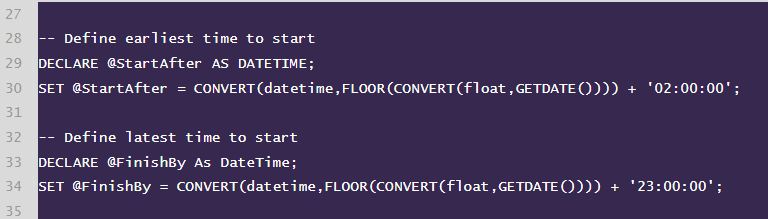
-- Define earliest time to start
DECLARE @StartAfter AS DATETIME;
SET @StartAfter = CONVERT(datetime,FLOOR(CONVERT(float,GETDATE()))) + '02:00:00';

-- Define latest time to start
DECLARE @FinishBy As DateTime;
SET @FinishBy = CONVERT(datetime,FLOOR(CONVERT(float,GETDATE()))) + '23:00:00';

-- Uncomment below and TEST FIRST
 --IF (GETDATE() > @StartAfter AND GETDATE() < @FinishBy)
 --BEGIN
 --print 'the time has come!'
 --END
 --ELSE
 --BEGIN
 --print 'no you cannot do this now!'
 --END;

/* ================= */

-- IMPRINT 1

IF (GETDATE() > @StartAfter AND GETDATE() < @FinishBy)
BEGIN
exec [dbo].[Accrual_PostToLedger] @intCompanyid = 1, @intPeriodid = @intThisPeriod, @intBatchId = @FirstBatchId, @intCreateBy = @IntMyId;
print ' ***** Imprint1 Posting DONE ***** ';
END
ELSE
BEGIN
print 'XXXXX Too early or late to post Imprint1 accruals! XXXXX ';
END;

-- IMPRINT 2

IF (GETDATE() > @StartAfter AND GETDATE() < @FinishBy)
BEGIN
exec [dbo].[Accrual_PostToLedger] @intCompanyid = 2, @intPeriodid = @intThisPeriod, @intBatchId = @SecondBatchId, @intCreateBy = @IntMyId;
print ' ***** Imprint2 Posting DONE ***** ';
END
ELSE
BEGIN
print 'XXXXX Too early or late to post Imprint2 accruals! XXXXX ';
END;

-- IMPRINT 3

IF (GETDATE() > @StartAfter AND GETDATE() < @FinishBy)
BEGIN
exec [dbo].[Accrual_PostToLedger] @intCompanyid = 5, @intPeriodid = @intThisPeriod, @intBatchId = @ThirdBatchId, @intCreateBy = @IntMyId;
print ' ***** Imprint3 Posting DONE ***** ';
END
ELSE
BEGIN
print 'XXXXX Too early or late to post Imprint3 accruals! XXXXX ';
END;


-- 3. Extend the highlight down to the end of this line.
-- 4. Click "!Execute"


-- protecting from accidental run
SET NOEXEC OFF;
The workflow I had inherited required values to be input by hand before executing the stored procedures—a risky business.
This code made everything safer:
- Values were input for all three procedures in single location, making them easy to verify prior to execution.
- A time check ensured that batches would not run during server maintenance.
- The routine was protected from an accidental run by surrounding it with NOEXEC. You could only execute the code by first highlighting it.
It was an aging application that often required running stored procedures manually. I reduced risks throughout the application with similar techniques.